At some point, a web developer, an SEO agency, or a friend who knows about technical SEO told you that you need schema markup. In their words, they said it would help you rank higher or help AI tools find your business. Either way, you nodded, and you still don’t know what it is.
That’s normal, and you won’t be the first. Schema markup gets explained badly, either buried in code examples that assume you’re a developer, or hand-waved as “technical SEO stuff” with no real explanation at all. This guide skips both. By the end, you will know what schema markup is, why it now matters as much for AI tools like ChatGPT as it does for Google, and what to do about it.
Quick Answer
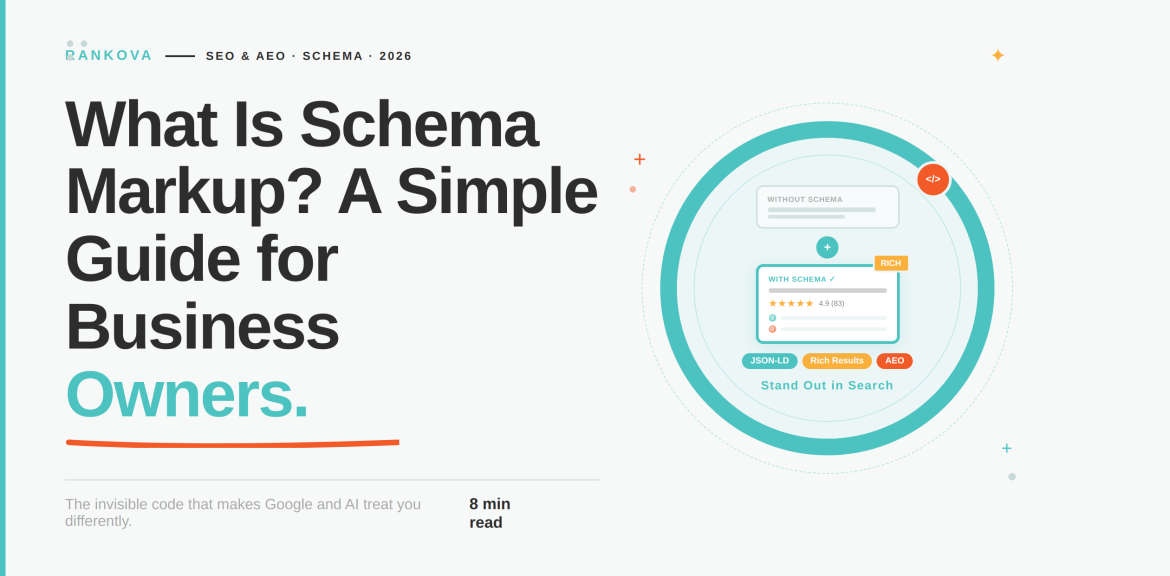
Schema markup is a small piece of code you add to a webpage that labels your content in a language search engines understand. That way, AI tools can understand your business, your phone number, your reviews, and answers to questions. It doesn’t change how your page looks to visitors, but how confidently a machine can read it. This affects whether you get star ratings and rich results in Google, and whether AI tools like ChatGPT and Google’s AI Overviews cite your business at all.
What Is Schema Markup?
Schema markup is a standardized set of labels, maintained by a shared vocabulary called Schema.org, that you add to your website’s code to describe what each piece of content is.
Your webpage already tells a human visitor specific details about your brand. They can look at a page and understand that “$45” is a price, “4.8 stars” is a rating, and “Open until 9 pm” is a business hour. A search engine or an AI tool can’t do that as reliably. Instead, it is reading code and not glancing at a page the way a person does.
Schema markup solves this problem by explicitly labeling each information to be readable for an AI tool. While it’s invisible to your actual site visitors, it lives in the page’s code. The best way to explain Schema markup is to talk to machines, search engines, AI models, and voice assistants on your behalf.
A Simple Way to Picture It
Imagine your website is a book, and Google is a librarian trying to catalogue it. The librarian can read the book cover to cover and take a reasonable guess at what it’s about. However, if you hand them a proper index card instead, with the title, author, subject, and summary already filled in, they don’t have to guess. They file it correctly the first time, and they can find it again instantly when someone asks for that topic.
Schema markup is that index card. It sits alongside your content and tells Google, Bing, ChatGPT, and Perplexity what your page is, without them having to interpret it themselves.
What Schema Markup Looks Like
Here’s a simplified example of schema markup for a local business, written in a format called JSON-LD:
<script type=”application/ld+json”>
{
“@context”: “https://schema.org”,
“@type”: “LocalBusiness”,

“name”: “Lagos Coastal Cafe”,
“address”: {
“@type”: “PostalAddress”,
“streetAddress”: “14 Marina Road”,
“addressLocality”: “Lagos”,
“addressCountry”: “NG”
},
“telephone”: “+234-1-234-5678”,
“openingHours”: “Mo-Sa 08:00-21:00”,
“priceRange”: “$$”
}
</script>
You don’t need to understand every line of that to get the idea. Read it the way a machine would. This is the block of code that, once added to a business’s website, is a large part of what allows Google to show a knowledge panel, hours, and a map location instead of just a plain link. It’s the same underlying data an AI tool would use if someone asked, “Where can I get the best Lagos Coastal Cafe open right now?”
Why Schema Markup Matters for SEO
Here are three concrete reasons schema markup affects your search visibility:
- It unlocks rich results you can’t get any other way.
Star ratings, prices, FAQ dropdowns, event dates, and recipe times are enhancements in Google’s search results that only appear when the underlying schema is present. If you have no schema, it means there is no eligibility, regardless of how good your content is.
- It improves click-through rate at the same ranking position.
A result with stars and a price sitting above a plain blue-link competitor tends to get clicked more often, even at an identical rank. You’re not ranking higher but getting a bigger share of the clicks at the position you already hold.
- It reduces ambiguity for Google, which supports trust and relevance signals.
A page that clearly states its author, publish date, business type, and structure is easier for Google to evaluate confidently. The reason is that it plays into the same trust signals that show up in Google’s quality guidelines.
None of this replaces good content or a technically sound site. Schema doesn’t fix thin content or a slow website. What it does is make sure the good content and accurate business information you already have is being read correctly, rather than guessed at.
Why Schema Markup Matters Even More for AI Search
This is the part that’s changed the most recently, and it’s the reason schema has gone from “nice to have” to something business owners are being told they urgently need.
When someone asks ChatGPT, Perplexity, or Google’s AI Overviews a question, that tool has to quickly decide which sources to trust and cite in its answer. It does this in a fraction of a second, and across thousands of possible sources. However, a page with clean schema markup is simply easier and faster for that system to parse with confidence.
This connects directly to knowing the difference between AEO (Answer Engine Optimization) and GEO (Generative Engine Optimization). We’ve laid out exactly how these relate to traditional SEO in GEO vs. SEO vs. AEO: what’s the difference? However, schema markup is one of the clearest and most direct signals you can give an AI system about who you are and what your content covers. Businesses skipping it are missing rich results in Google and becoming harder to cite in the growing share of searches that start and end inside an AI answer.
We’ve also written specifically about how to make your business show up in ChatGPT answers, where schema plays a supporting role alongside content structure and question-and-answer formatting.
The Schema Types Most Business Owners Actually Need
Schema.org lists thousands of possible types. Here’s what actually matters for most small and mid-sized businesses:
| Schema Type | What It’s For | Why It Matters |
| Local Business | Any business with a physical location or a service area. | Powers your name, address, hours, and phone number in search and map results. |
| Organization | Businesses without a storefront (includes B2B and remote services). | Establishes your business as a recognized entity to Google and AI tools. |
| Product | Anything you sell online. | Enables price, availability, and star-rating display in search results. |
| Review | Customer reviews and testimonials on your own site. | Powers the star ratings shown next to search results, only when reviews are genuinely hosted on your site, |
| FAQ Page | Any page with a list of questions and direct answers. | One of the most directly useful types for AI citations, since it’s already in question-and-answer format. |
| Article | Blog posts and news-style content. | Helps establish authorship, publish date, and content type for both search and AI. |
| Breadcrumb List | Site navigation paths. | Improves how your site structure is understood and displayed in search results. |
How to Add Schema Markup Without Writing Code
You don’t need to be a developer to add schema markup. Here are a few paths, depending on your setup:
- If you’re on WordPress
Plugins like Yoast SEO or Rank Math generate a large portion of your schema automatically. However, this is based on how you have already filled in your page and post details. If done right, the plugins customize the rest through simple form fields, not code.
- If you’re on Shopify
Most modern themes include basic Product schema out of the box, though it’s often thinner than it should be. Apps built for structured data can fill the gaps without touching a code editor.
- If you want to generate it manually for a specific page
You can use free schema generator tools to fill out a form (business name, address, hours, and so on) and spit out the JSON-LD code ready to paste into your site’s header. You will need your web developer or your website platform’s support team to tell you where that code needs to go.
- If you’re working with an agency
This should already be part of the standard technical setup and not an upsell. If it isn’t happening, then you should ask directly. Also, it’s one of the signs worth checking for in red flags to watch for when hiring an SEO company.
Whichever route you take, the result is to have a block of code sitting in your page’s HTML that a visitor will never see. Nevertheless, it is visible to a search engine or AI tool, which can read it every time it crawls your site.
How to Check If Your Schema Is Working
Adding schema and having it work correctly aren’t the same thing. A single typo can invalidate the whole block. Two free tools confirm whether yours is actually functioning:
- Google’s Rich Results Test: Paste in a URL or raw code, and it tells you which rich results the page is eligible for, plus any errors or warnings.
- The Schema.org Validator: Catches structural and syntax issues that Google’s tool sometimes lets through. You can use it to ascertain number one.
It is advisable to check back periodically, since a site redesign, a plugin update, or a theme change can silently break schema that was working perfectly the month before. If you’re doing a broader review of your site’s health, you can consult Rankova for a full content audit. This always includes a check on whether your existing schema is still valid.
Common Schema Mistakes That Undo the Benefit
Here are common mistakes that undo the benefit of schema markup;
- Marking up content that isn’t visible on the page.
Google’s guidelines require that schema reflect visible content. Labeling a review as 5 stars when no such review exists on the page is a policy violation.
- Using third-party review schema.
Reviews pulled in from external platforms (rather than hosted genuinely on your own site) haven’t been eligible for rich results in Google since a 2019 policy change, and that’s still enforced.
- Leaving schema unchecked after a site redesign.
JavaScript-heavy redesigns can break how schema renders, even when the code still looks correct in the source file.
- Copying a generic schema template without customizing it.
Placeholder text, mismatched business types, or missing required fields all reduce or eliminate the intended benefit.
- Treating schema as a replacement for content quality.
Structured data helps machines understand good content faster. It does nothing for thin, inaccurate, or outdated content underneath it.
Frequently Asked Questions That Address “What is Schema Markup?”
Here are frequently asked questions people have about Schema markup;
Question 1: Does schema markup guarantee a higher Google ranking?
No, Schema markup is not a direct ranking factor in the way page speed or backlinks are. However, it makes you eligible for rich results (stars, FAQs, prices) that improve click-through rate. It also makes your content easier for both Google and AI tools to interpret accurately, which supports ranking and citation indirectly.
Question 2: Will adding schema markup change how my website looks?
No, Schema markup lives in your page’s code and is invisible to visitors browsing your site normally. The only visible changes happen in search results themselves, star ratings, FAQ dropdowns, and similar rich results.
Question 3: Do I need a developer to add schema markup?
No, most website platforms (WordPress, Shopify, or Squarespace) have plugins or built-in tools that generate schema automatically or through simple form fields. A developer becomes useful for custom schema types or highly customized sites, but it’s not a strict requirement for the basics.
Question 4: What’s the difference between schema markup and structured data?
They’re effectively the same thing. “Structured data” is the general concept, information organized in a predictable, machine-readable format. “Schema markup” refers to structured data written using the Schema.org vocabulary, which is the standard search engines and AI tools actually recognize.
Question 5: Does schema markup help with AI tools like ChatGPT?
Yes, increasingly so. AI tools that generate answers from web content rely on clear signals to decide which sources to trust and cite. Schema markup is one of the more direct signals available, since it labels what a page is and what it contains.
Question 6: How long does it take to see results after adding schema markup?
Once schema is correctly implemented, it takes a few days to a few weeks for Google to recrawl the page and begin showing any eligible rich results, assuming there are no errors. AI tools may pick up the change on a different timeline depending on how frequently they’ve indexed your site.
Conclusion
Schema markup isn’t complicated once someone explains it in plain terms. In summary, it is a label, written in a language machines understand, that removes the guesswork from how your business gets read by Google and by the AI tools an increasing number of your customers are asking directly. It won’t fix bad content or a broken website. However, it’s one of the more straightforward and low-cost ways to be understood and cited correctly.
If you’re not sure whether your site’s schema is set up correctly, or whether it’s even there at all, that’s a quick thing to check. At Rankova, it’s a standard part of how we approach both SEO and AI search visibility. Get in touch, and we’ll tell whether Google and AI tools can read your brand right now.
If you enjoyed this, read more here;
The Reason Most SEO Campaigns Fail (And How to Avoid It)
How to Write a Brief for an SEO Agency So They Actually Deliver
Local SEO for Small Businesses in Nigeria: A Practical No-Budget Guide.
How to Do a Content Audit (And What to Do With What You Find) – SEO & AI Search Optimization Agency
What Is a Content Pillar and How Do You Build One That Ranks? – SEO & AI Search Optimization Agency
Technical SEO checklist: 20 things to audit before anything else
How to Write a Blog Post That Ranks on Google – SEO & AI Search Optimization Agency