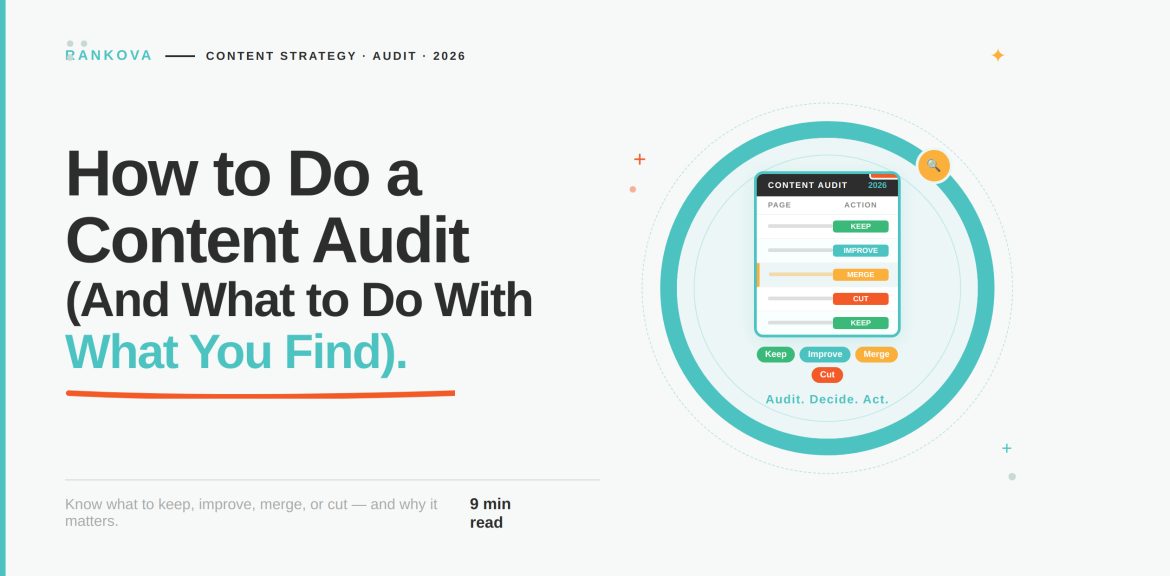
Somewhere on your website is a page you forgot you published. It could be a blog post from three years ago with a broken link, or two nearly identical articles that are sharing the same keyword, but both are underperforming. Well, if your site has been posting content for a year or more, you are carrying this kind of dead weight. The only solution is to know how to do a content audit to improve the site’s performance.
A content audit is not glancing at a traffic dashboard and feeling vaguely good or bad about the number. Rather, it is opening every page, examining how it’s doing, and deciding what happens to it next. Of course, it’s not glamorous work. But it’s also one of the healthiest things you can do to a website to improve its value.
This guide walks you through how to do a content audit, how to evaluate a website honestly, and exactly what to do with it once you know.
What a Content Audit Actually Is.
A content audit is a systematic review of every piece of content on your site. This includes blog posts, landing pages, resource pages, sometimes video and downloadable assets too. The goal of a content audit is to evaluate how each one is performing and decide if you want to keep it, improve it, merge it with something else, repurpose it, or remove it.
It’s worth being precise about what it isn’t, because the term gets stretched to cover a few different things:
- It’s not a technical SEO audit.
- It’s not a one-time cleanup.
- It’s not just about deleting things.
Why This Is Worth the Time
Considering its rigorous process, it’s fair to ask if it actually pays off. According to Semrush’s State of Content Marketing research, the businesses that updated existing content had great rewards for it. As a matter of fact, 53% reported an increase in engagement and 49% reported an increase in rankings and traffic as a direct result. That’s a meaningful return for work that doesn’t require writing a single new page.
Let’s examine an actual example of a company that prioritized content audit.
QuickBooks’ SEO team made a decision that looked reckless on paper. They deleted 2,000 blog posts, which is more than 40% of their entire resource center and represents years of writing and investment. Conventional wisdom says cutting that much content tanks your traffic. Instead, organic traffic was up 20% within a few weeks of the cut, and by the time their seasonal tax-prep traffic surge hit, it was up 44%. In turn, they enjoyed 72% increase in signups.
The posts they deleted were overlapping, outdated, and actively diluting the pages that mattered. So, removing them didn’t just clean house but it let their strongest content finally get found.
However, that result may not be the same for a smaller site. QuickBooks had strong existing domain authority and other traffic channels to fall back on, which a smaller site lacks. However, the underlying mechanism holds at any scale. And that is content that’s thin, redundant, or stale doesn’t just sit there neutrally. Rather, it competes with and dilutes the content that could be working.
How to Do a Content Audit for Your Website
Follow the steps below to learn how to do a content audit for your website.
Step 1: Define What You’re Trying to Achieve
Before you open a single spreadsheet, decide what this audit is for. Note that “improve the website” isn’t a goal you can act on. Rather, your goal can look like one of these:
- Increase organic traffic to a specific section of the site by a set amount over the next quarter.
- Reduce the number of pages competing with each other for the same keywords.
- Bring older cornerstone content up to date before a product launch or seasonal push.
- Clean house before a site migration or redesign, so you’re not carrying dead pages into a new system.

Pick one primary goal. You can note secondary benefits along the way, but trying to optimize for traffic, conversions, brand consistency, and accessibility all in the same pass usually means you do a mediocre job on all four instead of a thorough job on one.
Step 2: Build a Complete Inventory
You can’t audit what you haven’t found. Start by listing every relevant page on your site.
For a small site (under a few hundred pages), this can genuinely be done by hand. Pull your sitemap, or export a list from your CMS, and drop every URL into a spreadsheet.
For anything larger, use a crawling tool to generate the list automatically rather than trying to click through the site yourself. Free crawlers can handle several hundred URLs before you need a paid tier, which is enough for most small-to-mid-sized sites.
However you generate it, your inventory spreadsheet needs at minimum:
- URL
- Title
- Content type (blog post, landing page, resource, etc.)
- Publish date
- Last updated date
Performance data, quality notes, and the final decision get added in the steps that follow.
Step 3: Pull the Performance Data
This is where you find out what’s actually true, as opposed to what you assume is true. For every page in your inventory, gather:
- Organic traffic and impressions
- Current keyword rankings
- Backlinks
- Conversions or goal completions
- AI referral traffic
Don’t skip straight to judgment here. The goal of this step is just to get the numbers into the spreadsheet next to each URL. You’ll interpret them in the next step.
Step 4: Evaluate Each Page Honestly
With the data in front of you, go page by page and ask the same set of questions each time:
- Does it match search intent?
Search its target keyword and look at what’s currently ranking. If the top results are step-by-step guides and your page is a general overview, that mismatch alone caps how well it can ever perform, regardless of how well it’s written.
- Is it comprehensive, or does it leave gaps?
Compare your coverage of the topic against what’s currently ranking. A page that covers three subtopics when competitors cover eight isn’t going to out-rank them no matter how well those three sections are written.
- Does it show real expertise?
This is the E-E-A-T question ( Experience, Expertise, Authoritativeness, Trustworthiness). Does the page cite real evidence, include specific examples, and read like it was written by someone who knows the subject? Or does it read like a generic summary of what everyone else already says?
- Is it competing with your own content?
Check if another page on your site targets a very similar keyword or covers the same ground. This is called keyword cannibalization, and it’s more common than most site owners expect. It happens quietly over years of publishing without anyone tracking overlap.
- Is it current?
Facts, statistics, screenshots, and examples all age. A page that was accurate and useful two years ago can be wrong today without anyone noticing until a reader points it out.
- Staring down a few hundred pages you haven’t looked at in years?
That first full inventory pass is usually the biggest time sink in the whole process. Get a free content audit from Rankova, and we’ll do the heavy lifting, which includes the inventory, the data pull, and a prioritized action plan. That way, you can jump straight to the decisions.
Step 5: Decide What to Do With Each Page
This is the part most guides gloss over, and it’s the part that actually determines the impact of the audit. Every page you’ve evaluated falls into one of five categories.
- Keep as-is
The page is meeting or exceeding your goals. That means you are enjoying stable or growing traffic, solid rankings, no cannibalization, and the details are still accurate. The only action here is a light accuracy check to update any detail that has gone stale. Resist the urge to “improve” a page that’s already working because unnecessary changes to a page that’s performing well can do more harm than good.
- Update and refresh
This is usually the largest category, and it covers pages that are fundamentally sound but showing their age or falling short of what’s currently ranking. So, you can look for:
- Declining traffic or rankings on a page that used to perform better.
- Outdated statistics, screenshots, or examples.
- Content gaps compared to what’s now ranking above you.
- Weak on-page structure.
Updating doesn’t always mean a full rewrite. Sometimes it’s swapping in a current statistic and refreshing the publish date. It could also be by adding two missing subtopics to an otherwise solid piece. Just ensure you match the effort to what the page actually needs.
- Consolidate and redirect
The process is to pick the page with the strongest existing performance as the survivor, fold in whatever’s genuinely useful from the others, and set up a permanent (301) redirect from the retired URLs to the survivor. This does two things at once;
- It stops the pages from competing with each other, and
- It consolidates whatever backlinks and ranking signals they’d individually earned into a stronger page.
- Repurpose into a different format
This category gets skipped in most content audit frameworks, which is a missed opportunity. Some pages aren’t underperforming because they are bad. Instead, they are underperforming because they are in the wrong format for how people actually want to consume that particular topic.
A data-heavy blog post that’s barely getting read might work far better as a short video walkthrough or an interactive tool. A how-to guide that gets decent traffic but poor engagement might be better served broken into a checklist or a template people can actually use, rather than another page of prose. So, before deleting a page with genuinely useful information but weak performance, ask whether the problem is the content or the format it’s trapped in.
- Delete or prune
Reserve this for pages with no meaningful organic traffic, no backlinks, no conversions, and no ongoing business relevance. It’s also a good option where the topic itself isn’t worth rebuilding from scratch. Before deleting anything, double-check to know if it isn’t quietly earning traffic from a channel outside organic search, like a well-performing social post or an email link. Note that deleting a page that’s working somewhere you weren’t looking can do some damage.
As the QuickBooks example shows, deleting the right pages tidies things up and can meaningfully help the content you keep, by concentrating your site’s authority and crawl attention on pages that are actually worth ranking.
Step 6: Build a Prioritized Action Plan
You now have a decision for every page. Before executing anything, sequence the work by impact versus effort rather than working straight down the spreadsheet in whatever order the URLs are.
A simple way to sort:
- High impact, low effort first.
A page ranking on page two of Google that just needs one missing subtopic added is a much faster win than a page that needs a complete rewrite.
- Consolidations before deep updates.
Fixing cannibalization often lifts multiple pages at once, so it’s worth doing early rather than updating two competing pages individually and only later realizing they were undermining each other.
- Assign an owner and a deadline to each item.
An action plan sitting in a spreadsheet with no owner and no date has a way of not happening.
Step 7: Execute, Then Measure What Changed
Once updates, redirects, and deletions are live, resist the urge to check results the next day. The truth is that search engines and AI platforms both need about two months to recrawl and reprocess changed pages.
When you do check back, compare the same metrics you pulled in Step 3, over a comparable time window, and watch for seasonal effects that could muddy the comparison. If a page you updated still hasn’t moved, don’t assume the audit failed. Go back to the SERP and check.
Keep a copy of every audit you run. Each one becomes the baseline for the next, and comparing audits over time tells you whether your content strategy as a whole is trending in the right direction.
How Often Should You Do This?
While there’s no single right answer, a reasonable default is to run a full audit every six months. You can also always do a lighter check-in on your highest-value pages quarterly. According to Semrush survey data, only a third of top marketers audit their content twice a year.
It’s also worth running an audit outside your normal schedule after a major Google algorithm update, after a site migration or redesign, or any time you notice an unexplained shift in traffic that isn’t tied to one specific page.
Common Mistakes That Undermine a Content Audit
Here are the common mistakes that undermine a content audit;
- Skipping the goal-setting step.
- Auditing without a decision framework.
- Treating deletion as failure.
- Doing it once and never again.
- Ignoring pages that are quietly ruining each other.
Frequently Asked Questions About How to Do a Content Audit.
Here are some frequently asked questions about how to do a content audit;
Question 1: How long does a content audit take?
For a small site with under 100 pages, a focused audit can be done in a few days. For larger sites, you can treat it as an ongoing project over several weeks. However, prioritize high-traffic and high-risk pages first rather than trying to evaluate every page with equal depth from the start.
Question 2: What’s the difference between a content audit and a technical SEO audit?
A technical SEO audit checks whether search engines can properly crawl, index, and load your site, while a content audit assumes the technical foundation is sound and instead evaluates whether the actual content on each page is accurate, comprehensive, and serving its intended purpose.
Question 3: Should I delete old content or update it?
It depends on whether the underlying topic still has traffic and business value. If the topic matters and the page just needs current information or better depth, update it. If the topic itself no longer matters to your business or your audience, or if a stronger page already covers the same ground, deletion is usually the better move.
Question 4: Will deleting content hurt my SEO?
No, if you are deleting the right pages for the right reasons. However, deleting a page that’s quietly earning value will hurt your SEO.
Question 5: What tools do I need to do a content audit?
At minimum, you need a spreadsheet, Google Search Console for traffic and ranking data, and Google Analytics for engagement and conversion data. You can also explore paid platforms like Semrush or Ahrefs to speed up competitor comparison and keyword gap analysis. However, they are not required to run a thorough audit.
Conclusion.
The truth is that most sites struggle because they don’t conduct a content audit. While some content is excellent and just needs one push to start performing, others might require more. However, only an audit will reveal what should be done.
A content audit doesn’t require writing anything new. It requires being honest about what you already have, and then actually doing something about it. If you would rather have a team run the inventory, the analysis, and the execution while you focus on the parts of the business only you can handle, that’s exactly the kind of work we do at Rankova.
For now, our content audit is free. Get in touch with us, and we will show you what’s actually sitting on your site and what it’s costing you to leave it alone.
If you enjoyed this, read more here;
How to Rank Your Business Higher Than Others (Step-by-Step)
Best AEO Agency for E-commerce and Shopify Stores.
How to Get Cited by Perplexity (Step-By-Step) – SEO & AI Search Optimization Agency
How to Measure ROI on SEO and AEO Services – SEO & AI Search Optimization Agency
The Best SEO Agency for E-commerce and Shopify Stores
How to Make Your Business Show Up in ChatGPT Answers
The Best AEO Agency for Dentists and Healthcare – SEO & AI Search Optimization Agency
Pingback:GEO vs SEO vs AEO: What's the Difference and Which One Does Your Business Need? - SEO & AI Search Optimization Agency