If you’ve published dozens of blog posts and your traffic still isn’t moving, the problem probably isn’t your writing. It’s your structure. Search engines reward good and organized content because it proves you know a subject inside and out. That’s exactly what a content pillar is built to do. Now, we need to examine what a content pillar is and how to build one that ranks.
In this guide, we’ll break down what a content pillar actually is, how it’s different from a topic cluster, and walk through the exact steps to build a pillar page that ranks in Google and gets picked up in AI-generated answers.
What Is a Content Pillar?
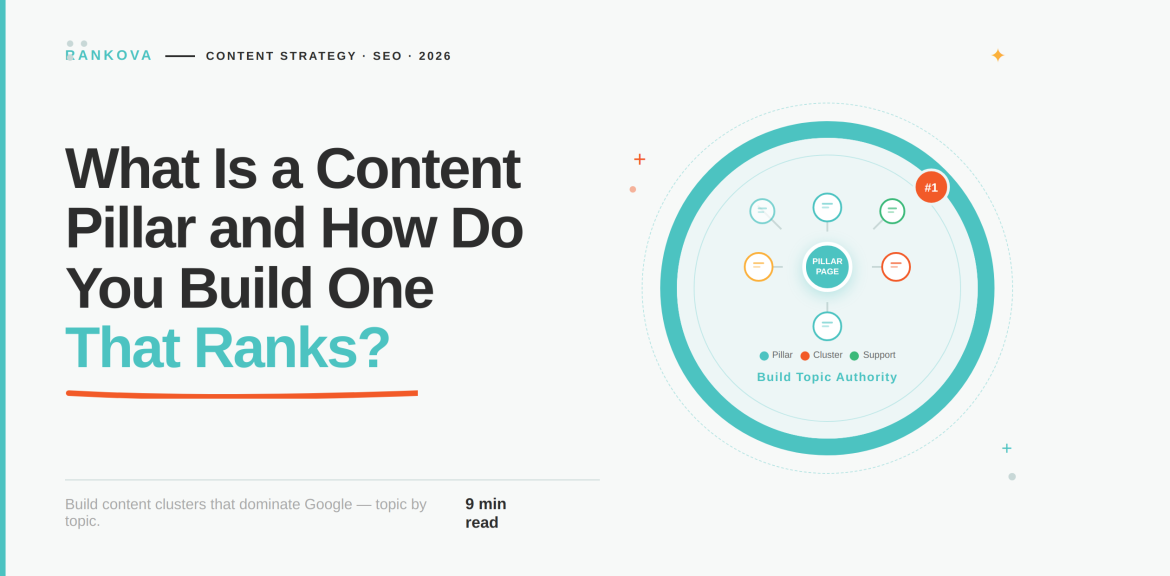
A content pillar is a long-form page that covers a broad topic comprehensively and acts as the central hub for a group of related articles called cluster content. The pillar page targets a high-volume keyword, while each cluster article targets a specific long-tail variation of that topic. An example of a high-volume keyword is “email marketing” or “local SEO,” while an example of a specific long-tail variation of the same topic is “how to write a welcome email sequence” or “local SEO for multi-location businesses.”
Here are the two ways you can use your content pillar;
- In SEO: a content pillar is a page or a specific URL built to rank for a broad keyword and link out to supporting content underneath it.
- In brand and social media marketing: a content pillar is a recurring theme and not a page. For example, a skincare brand might build its Instagram content around three pillars (ingredient education, routines, and customer results).
The major difference is that there’s no single URL involved in social media marketing, as compared to the use of a pillar page in SEO.
Our focus in this guide is the SEO definition, since that’s where content pillars have the biggest impact on rankings and organic traffic. However, we will touch on the social media version near the end, since a lot of people would want to know what it’s about.
Content Pillar vs. Topic Cluster: What’s the Difference?
In simple words, a content pillar is one page while a topic cluster is the entire group that has every cluster article connected to it. So technically, you don’t “build a content pillar”; you build a pillar page as the anchor of a topic cluster.
| Content Pillar (Pillar Page) | Cluster Article | |
| Scope | It covers an entire topic at a high level. | It covers one specific subtopic in depth. |
| Average length | 3,000-4,500+ words | 800-2,000 words |
| Keyword target | High-volume, competitive term | Specific, lower-competition long-tail term |
| Job | Give a useful overview of every subtopic, then route readers deeper | Fully answer one specific question. |
| Linking | Links out to every cluster article | Links back to the pillar page |
| Update cadence | Refreshed regularly to stay current | Can be more static once it ranks |
A useful way to think about it is that if someone lands on your pillar page, they should get real value even if they never click into a single cluster article. Nevertheless, if they do want to go deeper on one section, there’s always a link waiting for them.
Why Content Pillars Matter for SEO and AI Search
Content pillars directly influence how you rank. Here’s why they work.
- They Build Topical Authority
Google’s ranking systems increasingly reward sites that demonstrate comprehensive coverage of a subject rather than a handful of disconnected posts that happen to rank. A well-built pillar-cluster structure shows Experience, Expertise, Authoritativeness, and Trustworthiness, which are the qualities Google systems use to assess a page and the site behind it.
- They Concentrate Internal Link Equity
Every cluster article that links back to the pillar sends a small amount of ranking power to that page. In SEO, we call this “link equity.” Do this across ten or more cluster articles, and the pillar page accumulates authority from every article pointing at it. The advantage of this is enormous because it helps to target the high-value keyword it’s targeting.
According to Google Search Central, every page you care about should have at least one link pointing to it from elsewhere on your site, with anchor text descriptive enough that a reader could understand the destination page without any other context. The beautiful part of this for your SEO is that, rather than waiting on a backlink from someone else’s site, you are building one for yourself.
- They Improve User Experience and Reduce Bounce Rate

A pillar page functions like a well-organized table of contents for an entire subject. Instead of a visitor landing on a page, not finding quite what they need, and bouncing to a competitor, they can navigate from the broad overview straight into the specific subtopic they care about, without ever leaving your site. That keeps sessions longer, which is itself a quality signal, and it keeps more of your traffic inside your funnel instead of leaking to Google’s next result.
- They Let You Rank for Both Broad and Long-Tail Keywords at Once
A pillar page targets the big and competitive keywords while its cluster articles focus on the long-tail keywords. By the time you run this structure across ten cluster topics, you’re capturing search intent across the entire spectrum of that topic.
- They’re Becoming More Important for AI Search Visibility
This is the part that’s changed the most recently. Tools like ChatGPT, Perplexity, and Google’s AI Overviews don’t just pull from single pages. Rather, they favor sources that demonstrate clear and structured expertise on a topic. A site with a genuine pillar-cluster structure gives these systems more surface area to pull from and more signals that you’re a credible source on the subject. If you’re also thinking about how your content shows up in AI-generated answers, it’s worth reading our guide on Answer Engine Optimization alongside this one
Not sure if your existing content is pillar-ready?
Most sites we review already have 60-70% of a strong pillar structure sitting in their archives. But they are yet to organize or interlink them. Get a free content audit from Rankova, and we’ll show you exactly which posts can become your first pillar.
A Real Example of What A Content Pillar Can Do
How important is a content pillar to a company’s SEO? Here is a sneak peek into a real example.
HubSpot is the company that popularized the “topic cluster” term. It has documented its own client work applying this exact model. In one case study by HubSpot, a marketing agency called Human implemented a topic cluster strategy for an e-commerce client and grew that client’s organic blog traffic from roughly 500 monthly visitors to nearly 190,000 over the course of a year. In no time, a content pillar turned what had been a neglected blog into a genuine revenue channel for the business
That’s an extreme result, and HubSpot is upfront that outcomes like this depend heavily on the starting point, the competitiveness of the niche, and consistent execution over months. But the underlying mechanism is the one described throughout this guide and summarised below;
- Pick a small number of core topics.
- Map subtopics to each one, and
- Interlink everything deliberately.
Note that the growth comes from the compounding structure of several articles.
Types of Content Pillars
You should know that not every pillar page needs to look the same. The right format depends on your topic, your existing content library, and how much you can realistically publish and maintain.
Here are different types of content pillars based on your content needs;
- The Comprehensive Guide
The goal here is to make your article genuinely ten times more useful than whatever currently ranks. This works well when you’re starting from scratch on a topic and want one definitive page before building clusters around it. This article is an example of that format.
- The Resource Hub
A page that curates and organizes links to your best existing content on a subject, sometimes alongside a handful of credible external resources. This is the fastest option if you already have a library of relevant posts scattered across your blog. That means you’re not writing new content so much but just giving structure to what already exists.
- The Pillar-with-Cluster Model
This is a broad overview page that you build to connect in-depth cluster articles you have published over time. You don’t need all the clusters written before you launch the pillar. You can publish the pillar first, and then build clusters out steadily. This is the model most businesses land on because it scales naturally and compounds with every new article you add.
- The Product or Service Pillar
The product or service pillar is common in B2B and ecommerce. It centers on a core product or service category, with cluster content covering use cases, comparisons, and frequently asked questions related to that offering. It’s less about pure education and more about capturing commercial and transactional search intent.
Content Pillar Examples by Industry
Seeing this in context helps more than any definition. Here’s how the model plays out across a few different types of businesses:
- Email marketing software: Mailchimp maintains a broad email marketing resource that links out to dozens of narrower guides on deliverability, segmentation, A/B testing, and list hygiene.
- B2B SaaS: HubSpot itself runs separate pillar hubs for marketing, sales, and customer service, each with its own cluster map beneath it.
- Ecommerce brand: A skincare company might build a pillar page on “Skincare Routines” with clusters on morning routines, anti-aging ingredients, ingredients to avoid, and routines by skin type.
- SEO or marketing agency: They need an agency pillar page on “SEO Services” with clusters on technical SEO audits, local SEO, keyword research, and foundational content strategy concepts such as content pillars themselves.
Kindly notice the pattern in the above examples:
One broad page, several narrower pages, and deliberate two-way links tying them together.
A Step-by-step guide on How to Build a Content Pillar Page That Ranks
Here’s the actual process on how you can build a content pillar page for your business;
Step 1: Choose a Pillar Topic That’s Broad but Ownable
Your pillar topic needs to hit a specific sweet spot that is broad enough to realistically support multiple cluster articles, but specific enough that you can credibly compete for it. For example, “marketing” is too broad for almost any business to own. Instead, “content marketing for B2B SaaS companies” is a topic you can actually win.
So, you need to pull candidate topics from a few places:
- Keyword research tools, looking for terms with real search volume and clear intent
- Questions your sales team hears repeatedly on calls
- Support tickets and customer questions
- Google Search Console queries that are already sending you some traffic.
Step 2: Map Out Every Cluster Subtopic
Once you’ve locked in the pillar topic, brainstorm every relevant subtopic your audience might search for around it. Don’t filter too aggressively at this stage, but write down anything remotely related. After that, group similar ideas together. Keyword research tools and “people also ask” data are useful here for surfacing angles you wouldn’t think of on your own.
You can aim for at least 8-10 cluster topics if you’re working at full scale.
Step 3: Audit What You’ve Already Published
Before writing anything new, check whether you already have content that fits into this cluster. Older posts that touch on subtopics can often be updated, retitled, or restructured to fit into the new pillar model rather than rewritten from scratch. This step alone can cut your workload significantly, especially for sites that have been publishing for a while without a clear structure.
Step 4: Structure and Write the Pillar Page
The pillar page needs clear H2 and H3 headings that mirror the subtopics you’ll cover in cluster content. Each section should provide a genuinely useful overview of that subtopic while linking out to the dedicated cluster article for readers who want the full depth.
A few things that separate a pillar page that ranks from one that doesn’t:
- A clickable table of contents near the top
- Real depth in every section
- Accessible for indexing.
- Natural internal links.
Step 5: Write and Publish the Cluster Content
Develop dedicated articles for each subtopic identified in Step 2. Each cluster article should target one specific long-tail keyword, go deeper than the pillar page’s overview of that subtopic, and link back to the pillar using clear anchor text.
You don’t need to publish every cluster article before launching the pillar. In fact, publishing the pillar first and building clusters out over subsequent weeks or months is usually the more sustainable approach. It also gives you a natural, ongoing reason to keep updating the pillar page itself.
Step 6: Interlink Everything Deliberately
This is the step that’s most often half-done. A complete pillar-cluster structure means:
- The pillar page links to every published cluster article.
- Every cluster article links back to the pillar page.
- Related cluster articles link to each other where it’s genuinely relevant, not forced.
Skip this step, or do it inconsistently, and you lose most of the SEO benefit of the entire structure. A pile of related articles with no deliberate linking between them is just a pile of related articles and not a topic cluster. A page nobody links to internally is called an “orphan page,” and orphan pages are much harder for search engines to find and index, no matter how good the content is.
Step 7: Keep the Pillar Page Fresh
A pillar page that’s published once and never touched again starts losing ground within months, especially in a fast-moving field. Search engines and AI systems both increasingly favor content that shows signs of active maintenance. So, updated statistics and new subtopics are added as they emerge. This should also include links to newly published cluster articles and refreshed examples.
A practical refresh routine involves periodically checking for outdated statistics or claims, adding links to any new cluster content you’ve published since the last update, making sure no cluster articles are orphaned, and updating the page’s metadata to reflect when it was last reviewed.
If your team is publishing SEO content but nobody owns this ongoing maintenance work, it’s worth reading our technical SEO checklist. That way, you can perform the right technical hygiene your page needs.
Common Mistakes That Sink a Content Pillar Strategy
Here are the common mistakes that sink a content pillar strategy;
- Making the pillar page too shallow.
- Choosing a topic that’s too narrow.
- Skipping the internal linking step.
- Gating the pillar page behind a form.
- Publishing once and walking away.
- Forcing links that don’t serve the reader.
Content Pillars for Social Media (The Other Definition)
On Instagram, LinkedIn, and TikTok, a content pillar isn’t a page. Rather, it’s one of a handful of recurring themes that shape what you post. A fitness brand might rotate between workout tutorials, nutrition tips, client transformations, and behind-the-scenes culture content. A B2B company on LinkedIn might stick to thought leadership, customer stories, and product education.
Most brands land somewhere between three and five pillars. Fewer than that and your feed feels repetitive or scattered with no clear identity. The goal is the same as the SEO version, just applied to a feed instead of a URL. So, give your content a consistent and recognizable structure instead of publishing whatever comes to mind that week.
Frequently Asked Questions About A Content Pillar And How to Build One That Ranks.
Here are the frequently asked questions about a content pillar and how to build one that ranks;
Question 1: What’s the difference between a content pillar and a topic cluster?
A content pillar is a single page that covers a broad topic, while a topic cluster is the entire group that has the pillar page and every cluster article linked to it.
Question 2: How long should a content pillar page be?
Most effective pillar pages run 3,000-4,500 words or more, since they need enough depth to meaningfully cover every subtopic while still linking out to dedicated cluster articles for readers who want to go further.
Question 3: How many cluster articles does a pillar page need?
At full scale, aim for at least 8-10 cluster articles to justify the pillar structure. You don’t need them all published before launching the pillar page. Building them out over time is normal and even beneficial, since it gives you a reason to keep updating the pillar.
Question 4: Do content pillars help with AI search visibility?
Yes. AI-driven search tools tend to favor sources that show clear and structured expertise on a topic rather than a single isolated page. Such content shows that your site is a credible and comprehensive source.
Question 5: Can I turn an existing blog post into a content pillar?
Often, yes. If you already have a comprehensive post on a broad topic, you can expand it, add a table of contents, and start building or linking cluster content around it rather than starting from scratch. Audit your existing content library before writing anything new.
Conclusion
If you started this article because you’ve been publishing consistently and still can’t explain why your traffic isn’t moving, the honest answer is that it was probably never the writing. Rather, it was the absence of a structure tying that writing together. A content pillar isn’t a long blog post but a decision to stop publishing in isolation and start building something that compounds.
If you do this well, it signals topical authority to search engines, gives readers a genuinely useful path through a subject, and sets you up to rank across the full range of search intent. But if you do it for a while and abandon it, it decays like anything else you stop maintaining.
If you’re not sure where to start, the best advice is to begin with the topics closest to your core business. Map out the subtopics your audience actually asks about, publish the pillar first, and build the cluster out over time. And every article you add over time will make the whole structure stronger.
Building this out across a full site, alongside technical SEO and AI search visibility, is exactly the kind of work we do at Rankova. If you’d rather have a team map, build, and maintain your content pillars for you, get in touch with us, and we’ll walk you through where your biggest opportunities are.
If you enjoyed this, read more here;
How to Rank Your Business Higher Than Others (Step-by-Step)
Best AEO Agency for E-commerce and Shopify Stores.
How to Get Cited by Perplexity (Step-By-Step) – SEO & AI Search Optimization Agency
How to Measure ROI on SEO and AEO Services – SEO & AI Search Optimization Agency
The Best SEO Agency for E-commerce and Shopify Stores
How to Make Your Business Show Up in ChatGPT Answers
The Best AEO Agency for Dentists and Healthcare – SEO & AI Search Optimization Agency
Pingback:How to Write a Blog Post That Ranks on Google - SEO & AI Search Optimization Agency
Pingback:Internal Linking Strategy: The Most Overlooked SEO Tactic. - SEO & AI Search Optimization Agency