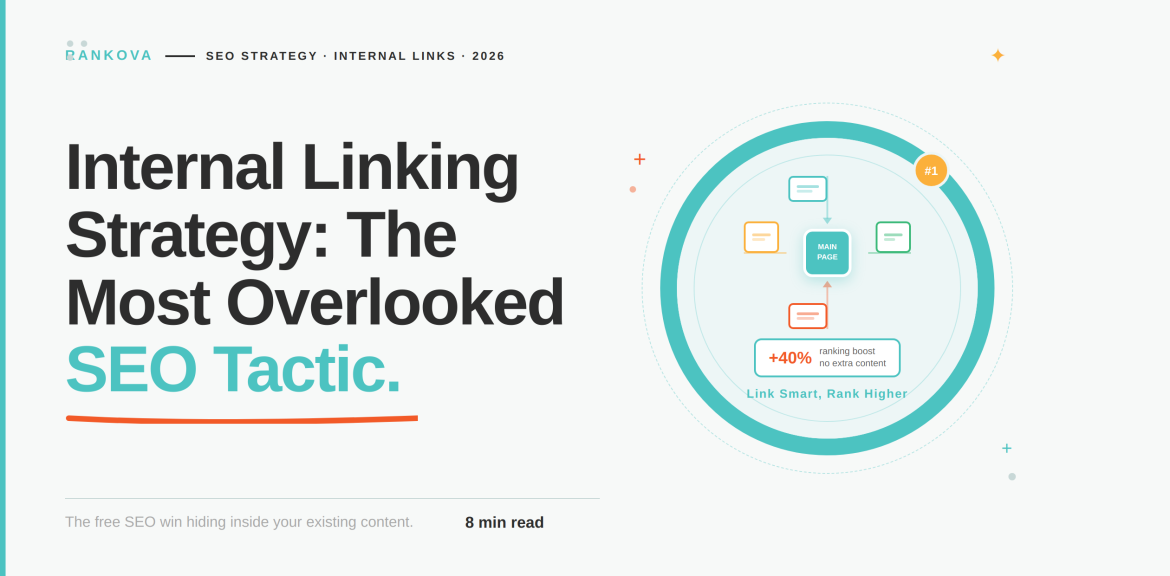
There is a page on your site right now that took effort to write, targets a keyword you care about, but Google barely knows it exists. The reason may not be that the content is weak, but that nothing else on your site links to it. Yes, the internal linking strategy is the most common but most overlooked SEO tactic, because of its invisible nature.
Most SEO conversations skip straight past internal linking to focus on backlinks, content volume, and the latest algorithm update. Internal linking doesn’t get the attention it deserves because it isn’t dramatic. That’s why this guide covers what internal linking does, its impact, and a practical way to fix it on your own site without needing a developer or a big budget.
What Internal Linking Is
An internal link is any hyperlink that connects one page on your website to another page on the same domain. The next question is, why should one pay attention to this simple mechanism?
- It helps search engines find your pages.
Google’s own crawlers discover new and existing content largely by following links. That means a page with no internal links can sit on your site indefinitely without ever being crawled, indexed, or ranked. This has no bearing on how good the content is.
- It distributes authority across your site.
Not every page earns backlinks from other websites. Internal links let pages that do have external authority pass some of that value on to pages that don’t.
- It tells search engines what your site is about.
The pattern of what links to what, and the words used to describe those links, builds a picture of your site’s structure and expertise that’s hard to fake and easy to get right.
According to Google’s developer documentation, every page worth ranking should have at least one link pointing to it from elsewhere on the site. It also uses an anchor text that is descriptive enough that a person could understand the destination without any other context. John Mueller described internal linking as one of the single biggest levers a site owner has to guide both search engines and visitors toward the pages that matter.
Does Internal Linking Move Rankings?
It’s fair to be skeptical of internal linking advice, because a lot of it is stated as gospel with no evidence behind it. So it’s worth looking at what happens when someone actually tests it, rather than just asserts it.

SearchPilot, an SEO testing firm that runs controlled A/B experiments on live websites, has published the following measurable outcomes about internal linking:
- Adding links from a business’s location pages to their nearest geographic neighbors, across roughly 8,000 regional pages, produced a 7% increase in organic traffic to the pages that received the new links.
- Expanding a homepage footer to include more internal links produced a 5% increase in organic traffic to the destination pages.
- Reducing the number of links crammed into one link block, so the remaining links carried more concentrated equity, improved rankings for the pages that stayed linked.
The reason to trust this number is that they are not the dramatic 10x growth story you will find in unverified marketing blog posts.
Why Internal Linking Matters for Google and AI Search
Internal linking’s job hasn’t changed with the rise of AI-driven search. As a matter of fact, its stakes have gone up. Tools like ChatGPT, Perplexity, and Google’s AI Overviews rely heavily on internal linking. It provides a clear and structured map of how pages on a site relate to one another.
AI systems function like a search engine crawler to confirm your site’s credibility. A way they judge this is by internal linking. A well-interlinked cluster of content around a topic is perfect for AI systems and search engine crawlers. A single strong page with no surrounding structure doesn’t, no matter how good that one page is.
According to Yext’s research of 6.8 million AI citations across ChatGPT, Gemini, and Perplexity, one can trace 86% of citations back to its own website and business listings. The statistic changes what internal linking is actually worth. If the large majority of what an AI system says about your business is being pulled from your own site, then how coherently that site connects its own pages together directly shapes how completely and accurately an AI system can describe what you do.
Another reason this matters is that AI systems that retrieve information from the web in real time often follow link structures in a similar way to a traditional crawler. An orphaned page isn’t just invisible to Google. It’s equally invisible to the retrieval step behind a live AI answer, for the same structural reason.
If you are building content specifically with AI visibility in mind, it’s worth reading how this connects to GEO, AEO, and SEO as a combined strategy. Internal linking is the connective tissue that makes all three work together rather than as three disconnected efforts.
How to Build an Internal Linking Strategy
Here is a step-by-step guide you can follow to build an internal linking strategy;
Step 1: Find Your Orphan and Under-Linked Pages First
Before adding a single new link, find out what’s currently broken. You can use a site crawler to generate a full list of your pages, then cross-reference it against which pages have zero or very few internal links pointing to them.
Step 2: Identify Your Power Pages
Some pages on your site already carry disproportionate authority. This includes your homepage, your best-performing blog posts, or any page that’s earned external backlinks. Use Google Search Console or a backlink tool to identify which of your pages have the most referring domains or the highest organic visibility. These are the pages with equity worth sharing.
Step 3: Link Deliberately From Power Pages to Pages That Need Help
Once you know your power pages and your under-linked pages, connect them with relevant articles to the reader. A link that exists purely to move SEO weight around, with no real reason for a reader to click it, reads as manipulative and rarely holds up over time. So, you should rather ask, would someone reading this page benefit from clicking through to that one?
In practice, this often means going back into an old and high-performing post and adding one or two sentences that naturally reference a newer or weaker page. That is, you need to write the connection in. A well-placed link from a genuinely authoritative page usually outperforms numerous s low-context links from weaker ones.
Step 4: Use Descriptive and Varied Anchor Text
The anchor text is the clickable words in a link. They tell both readers and search engines what to expect on the other side. So, avoid generic phrases like “click here” or “read more,” which waste the opportunity entirely. Instead, use anchor text that describes the destination page’s topic, and vary the phrasing naturally across different links to the same page rather than repeating the identical phrase every time, which can look manipulated rather than organic.
Step 5: Build Around Pillar and Cluster Structures
Internal linking works best when it follows a deliberate structure rather than being bolted onto content. A broad pillar page on a core topic gives every new piece of content a built-in linking home from the moment it’s published. If you haven’t built this structure yet, it’s worth reading our guide on how to build a content pillar that ranks alongside this one.
Step 6: Link to New Content From Day One
Every time you publish something new, go back and add links to it from existing and relevant pages immediately. A new page with no internal links pointing to it is an orphan page from the moment it goes live, and it will sit that way indefinitely unless someone deliberately connects it to the rest of the site.
Step 7: Audit and Prune Regularly
Internal linking isn’t a one-time project. Pages get deleted, URLs change, and links that made sense a year ago can quietly break or become irrelevant. Run a broken-link check periodically, and when you update or retire old content, check what was linking to it and update those links rather than leaving them pointing at a dead end.
Common Mistakes That Undermine Internal Linking
Here are common mistakes that can undermine internal linking;
- Treating it as a one-time setup task.
- Over-linking a single page.
- Using generic anchor text everywhere like “Click here.”
- Only linking from navigation and footers.
- Forgetting new content the moment it’s published.
A One-Page Internal Linking Checklist
Here is a checklist you can always use for your internal linking;
- Crawl your site and list every page with zero or very few internal links pointing to it.
- Identify your 5-10 highest-authority pages (most backlinks, best rankings, most traffic).
- Add 2-3 genuinely relevant contextual links from those power pages to your weakest pages.
- Audit your last 10 published pieces. Ask if each one has descriptive, non-generic anchor text pointing to it from somewhere else on the site, including at least one exact-match phrase where it reads naturally?
- Set a recurring reminder (monthly or quarterly) to link new content to existing pages the day it’s published, not “eventually”
If that checklist turns up more orphaned pages than you have time to fix alone, that’s exactly the kind of prioritization work we help with at Rankova.
Frequently Asked Questions About Internal Linking Strategy.
Here are some frequently asked questions about internal linking strategy;
Question 1: How many internal links should a page have?
There’s no fixed rule, and Google doesn’t specify a number. However, relevance is the most important rule. Every link should genuinely help a reader, and a page stuffed with dozens of low-relevance links dilutes the value each one carries.
Question 2: What’s the difference between internal links and backlinks?
Internal links connect pages within your own website and are entirely under your control. Backlinks come from other websites linking to yours and depend on someone else’s decision to link. Internal linking is one of the few SEO levers you can improve immediately, without waiting on anyone else’s cooperation.
Question 3: What is an orphan page, and why does it matter?
An orphan page is a page with no internal links pointing to it from anywhere else on the site. Since search engines largely discover content by following links, an orphan page can remain uncrawled and unranked indefinitely, regardless of how good the content on it is.
Question 4: Does internal linking actually improve rankings?
Yes, it does. Internal linking has shown measurable organic traffic increases.
Question 5: Should I use the same anchor text every time I link to a page?
No. Repeating identical anchor text for every link to the same destination can look unnatural. Use anchor text that accurately describes the destination page, varying the phrasing naturally across different links.
Conclusion
Internal linking earns the description “the most overlooked SEO tactic” because it doesn’t require a content budget, a developer sprint, or waiting on someone else’s backlink. It requires going through your own site and connecting the good work you have already done to itself. As a matter of fact, it is more important than writing the next new post.
If you would rather have a team run that audit and build the linking structure for you, you can bank on Rankova to do a great job for your brand and business. Get in touch with us, and we’ll show you exactly which of your pages are invisible right now and what connecting them would be worth.
If you enjoyed this, read more here;
The Reason Most SEO Campaigns Fail (And How to Avoid It)
How to Write a Brief for an SEO Agency So They Actually Deliver
Local SEO for Small Businesses in Nigeria: A Practical No-Budget Guide.
How to Do a Content Audit (And What to Do With What You Find) – SEO & AI Search Optimization Agency
What Is a Content Pillar and How Do You Build One That Ranks? – SEO & AI Search Optimization Agency
Technical SEO checklist: 20 things to audit before anything else
How to Write a Blog Post That Ranks on Google – SEO & AI Search Optimization Agency
Pingback:How to Repurpose Old Content to Recover Lost Rankings. - SEO & AI Search Optimization Agency