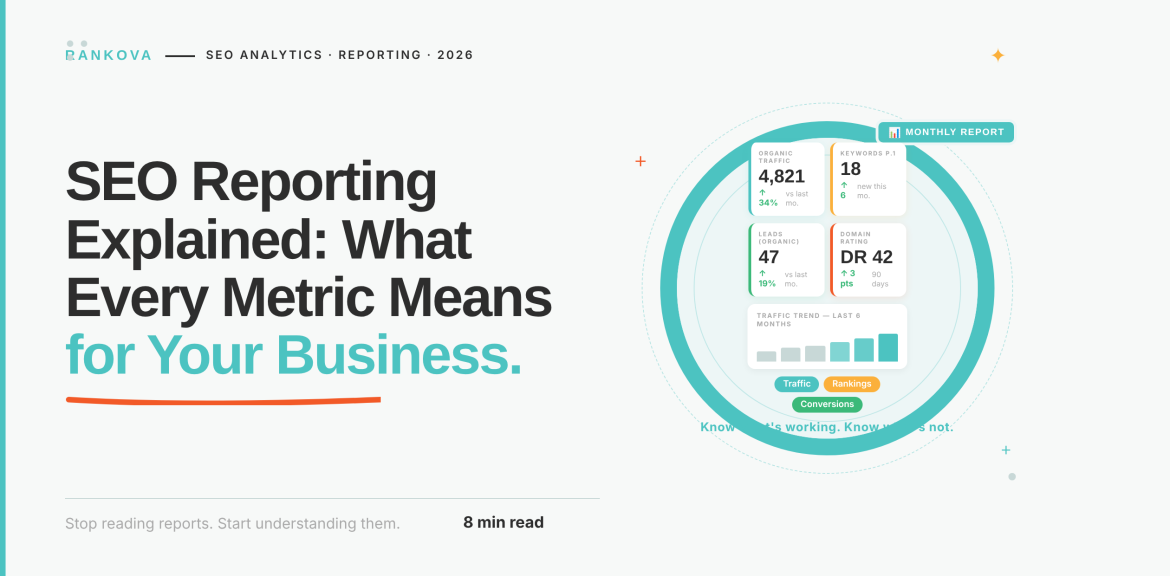
Do you pay for SEO every month, or are you just curious what SEO reporting looks like? You can receive a report full of charts and words like “impressions”, “CTR,” and “referring domains”. While your reply can be “Thanks”, deep down you must be asking: Is this bringing me customers?
That’s the right question, and you’re not alone. Most SEO reports are written for SEO people and not for business owners. This guide translates them into plain English.
The short answer: a good SEO report answers five simple questions. Can Google find my website? Are the right people seeing it? Are they clicking? Do they like what they find? And is it bringing in money? Every number in your report should help answer one of these. If it doesn’t, ask why it’s there.
Read the article to learn more about SEO reporting.
Key takeaways
- Start with the money: enquiries, calls, WhatsApp messages and sales.
- Compare this month with the same month last year.
- Big numbers like “we rank for 1,200 keywords” can look impressive and mean very little.
- If customers visit or call you, your Google Maps listing has its own numbers, and they matter.
- A good report always ends with “here’s what we’ll do next”.
What is an SEO report?
An SEO report is a monthly update on how easily customers find your business on Google (and now on AI tools like ChatGPT), and whether that is turning into business.
Most of the numbers come from two free Google tools:
- Google Search Console shows what happens on Google: how often your business appears in search results, and how often people click.
- Google Analytics shows what happens on your website: who visits, what they look at, and whether they get in touch.
You can think of your website as a shop. Search Console tells you how many people walked past your window and how many came through the door. Analytics tells you what they did once they were inside.
Your agency may also use paid tools such as Semrush or Ahrefs. These give useful estimates about competitors, but they are not Google’s numbers.
The 5 questions every SEO report should answer
When you read an SEO report, here are 5 questions it should answer;
Step 1: Can Google find your website?
Before anything else, Google has to be able to find, read, and load your pages. If it can’t, nothing else in the report matters.
So, look for three things:
- Your important pages are “indexed”. That’s Google’s word for “stored and ready to show”. Your service pages, product pages, and contact page should all be in. If a page isn’t indexed, it’s invisible on Google. Our guide on fixing a website Google won’t index explains the usual causes.
- Broken pages are being fixed. Links that lead to “page not found” errors frustrate customers and waste Google’s time.
- Your site loads fast on a phone. Most of your customers search on their phones, often on mobile data. Google checks this with something called Core Web Vitals. In plain terms: does the page appear in about 2.5 seconds, respond quickly when tapped, and stay still while it loads?
So, ask your agency: “Can Google see all the pages that bring us customers? Does our site load quickly on phones?”
Step 2: Are the right people seeing you?
This tells you how often your business shows up when people search, and whether they’re searching for things you sell.
- Impressions: this refers to how many times your website appeared in Google’s results. Think of this as people walking past your shop window. More is good, but only if they’re the right people.
- Rankings: your position in the results for a search, where position 1 is the top. Ask for a short list of the 10 to 20 searches that matter most to your business.
- New vs existing customers: your report may call these “non-branded” and “branded” searches. Branded means people searched your business name, so they already know you. Non-branded means they searched for what you sell, like “event centre in Lagos”, and found you. Growth in non-branded searches is the clearest sign SEO is working, because those are new customers.
Ask your agency: “Which of our most important searches are we on page one for, and which are just below it?” Pages sitting at positions 4 to 10 are often quick wins. So, refreshing old content can push them up.
Watch out for people who say “We now rank for 1,200 keywords!” Most of those are odd searches no customer ever types.
Did your numbers suddenly drop in September 2025? Google changed how it counts appearances that month (Search Engine Roundtable), so many businesses saw impressions fall overnight. Your customers didn’t disappear. From September 2026, comparing with the same month last year is fair again.
Step 3: Are people clicking on you?
Being seen isn’t enough. You want people to choose you over the other businesses on the page.
- Clicks: people who clicked from Google to your website. These are the people who walked into the shop.
- Click-through rate (CTR): out of everyone who saw you, how many clicked. If 100 people saw you and 5 clicked, your CTR is 5%.
If your position stays the same but fewer people click, Google’s AI summaries are often the reason. These are the AI-written answers that now sit at the top of many searches, so some people get their answer without clicking anything. A Pew Research Center study found people clicked a normal result 8% of the time when an AI summary appeared, compared with 15% when there wasn’t one.
So fewer clicks on general “how to” questions isn’t always bad SEO. The answer is to become one of the sources those AI summaries quote (how to get cited by Google AI Overviews), and to make sure the pages people do click on give them what they were looking for.
Step 4: Do visitors like what they find?
Once people arrive, do they stay and look around, or leave straight away?
- Visits (your report may say “organic sessions”): how many visits came from Google. Always compare with the same month last year. Most businesses have busy and quiet seasons, such as school fees time, festive shopping, or the end of the year, so comparing October with September can mislead you.
- Engagement rate: the share of visits where people actually did something, such as staying longer than 10 seconds, looking at a second page, or getting in touch (Google Analytics Help). Low engagement on a page usually means it didn’t give people what they expected, or it loaded too slowly.
You might also see bounce rate. It is simply the opposite of engagement rate, so you only need one of them.
Ask your agency: “Which pages get lots of visitors but no enquiries, and what will you change on them?”
Step 5: Is it bringing in money?
This is the step that matters most. If your report doesn’t show it, ask for it before anything else. Your report may call these conversions or key events. Both simply mean the actions that matter to your business:
- A contact form sent
- A phone call from the website
- A tap on “Chat on WhatsApp”
- A booking or a purchase
For Nigerian businesses, many customers never fill in a form. They tap the WhatsApp button or call. If your agency isn’t counting those taps, your report could be missing most of the customers SEO is bringing you.
Not sure your enquiries are being counted properly? Missing WhatsApp taps and counting the wrong actions are two of the most common reporting mistakes. Ask Rankova to check your tracking before you judge your SEO on it.
Your Google Maps listing: the numbers many reports forget
If customers visit or call you, many of them never open your website. They find you on Google Maps, tap “Call” or “Directions”, and show up.
Your Google Business Profile (your listing on Google Maps) has its own numbers (Google Business Profile Help). Ask your agency to include:
- Calls: how many people tapped to call you from your listing.
- Directions: how many people asked Google for directions to your location.
- Website clicks: how many people went from your listing to your website.
- Searches: the words people typed when your listing showed up. Are you found for what you sell, or only for your name?
Most of your customers are on their phones, so also ask whether phone visitors get in touch as often as computer visitors. If they don’t, a slow or awkward mobile page is usually the problem.
To improve these numbers, see our Google Business Profile guide for Nigerian businesses and local SEO for small businesses.
What about ChatGPT and AI search?
More customers now ask ChatGPT, Google’s AI answers, or Microsoft Copilot for recommendations. Your report should start telling you whether you show up there.
Since 2026, three free tools give real data:
- Google Search Console now shows how often your pages appear inside Google’s AI answers, called AI Overviews and AI Mode (Google).
- Google Analytics now has an “AI Assistant” group that counts visits from tools like ChatGPT and Gemini (Google).
- Bing Webmaster Tools shows how often Microsoft Copilot quotes your pages (Microsoft).
Keep two things in mind. Appearing in an AI answer is more like being mentioned than getting a visit, because people rarely click the links inside AI answers. Also, some visits from AI tools arrive without a label, so they get counted as “direct” visits instead. The real number is usually higher than the report shows.
Are you new to this topic? Start with GEO vs SEO vs AEO.
What a good monthly report looks like
A good report takes about 10 minutes to read and leaves you knowing exactly where you stand. It opens with a summary in plain words, like this example. Note that the numbers were invented for illustration:
October 2026 compared with October 2025
- We got 44 enquiries from Google, up from 31. Most came from the new Lekki and Ikeja service pages.
- 28% more new customers found us by searching for what we sell.
- Our “office interior design” page now appears in Google’s AI answers.
- One concern: fewer people clicked on our pricing page after its title changed. We’ll fix it this month.
- Your decision: should we create pages for Abuja and Port Harcourt next?
Notice what it does. It talks about enquiries, compares with last year, explains why things changed, admits a problem, and ends with a clear next step. Big jumps or drops on charts should also carry a short note explaining them, which Search Console has allowed since November 2025.
Warning signs in an SEO report
Here are warning signs that something is wrong in the SEO report:
- Never mentions enquiries, calls or sales
- Only compares with last month, never with last year
- Lists hundreds of keywords but no short list of the important ones
- Celebrates scores from paid tools as the main win
- Counts backlinks without naming any
- Doesn’t say what work was done or what happens next
- Uses the same copy-and-paste summary every month
Make sure you own your Google Search Console, Google Analytics, and Google Business Profile accounts, with your agency added as a user. If you ever change agencies, your data stays with you.
Two or three warning signs mean it’s time for a conversation. Five or more mean it’s time for a review. To see what good agency work looks like, read what an SEO agency actually does day to day.
Frequently asked questions about SEO Reporting.
Here are some frequently asked questions about SEO reporting;
Question 1: What should an SEO report include?
A short summary should include enquiries and sales from Google, how many people saw and clicked on your business, how visitors behaved on your site, your Google Maps numbers if you serve local customers, the work done, and clear next steps.
Question 2: How often should I get an SEO report?
Once a month is right for most businesses, with a bigger review every three months. SEO moves slowly, so weekly reports mostly show noise.
Question 3: Why don’t the numbers in my report match?
Google Search Console counts clicks on Google. Google Analytics counts visits on your website, and some visits aren’t recorded because of ad blockers or cookie settings. A small gap is normal.
Question 4: How long before SEO shows results?
You may see early signs within weeks, such as appearing more often on Google. More enquiries and sales usually take several months, depending on your competition and where your website started.
Question 5: Do I need to understand all the technical terms?
No. You need to know whether SEO is bringing you customers. Your agency should be able to explain everything else in plain words, and if they can’t, that tells you something.
Conclusion
You don’t need to become an SEO expert to read your report. You just need to check that it answers five questions: can Google find us, do people see us, do they click, do they like what they find, and is it bringing in money?
At Rankova, that is how we report: a summary in plain English, enquiries and sales first, and one clear recommendation every month.
Not sure your current report is telling you the full story? Talk to Rankova. Send us your latest SEO report, and we’ll explain what it shows, what it leaves out, and what we would do next.
Read more
- How to write a brief for an SEO agency so they actually deliver
- SEO contracts explained: what should and shouldn’t be in yours
- How to get cited by Google AI Overviews
- Core Web Vitals Explained: What They Are and Why Google Cares – SEO & AI Search Optimization Agency
- Why Search Intent Matching Is More Important Than Keywords – SEO & AI Search Optimization Agency
- Topical Authority Explained: How to Build It and Why It Determines Your AI Visibility
- How to write a blog post that ranks on Google
- How to get more Google reviews in Nigeria
Sources
- Introducing Search Generative AI performance reports in Search Console: Google Search Central, 3 June 2026
- Generative AI performance report (Search): Search Console Help
- Introducing the branded queries filter in Search Console: Google Search Central, November 2025
- Adding context to your Search Console data with custom annotations: Google Search Central, November 2025
- Engagement rate and bounce rate (GA4): Google Analytics Help
- Understand your Business Profile performance: Google Business Profile Help