Core Web Vitals is one of those SEO terms that people repeat far more often than they explain. Some even say Google cares about Core Web Vitals, as they impact your rankings, while others say your site must score 100. Well, only the first of those is fully true. Yes, you need to know the truth about Core Web Vitals.
This guide explains what Core Web Vitals measure, how Google collects them, and how much weight they carry. Rankova checked every fact against Google’s documentation in October 2026 to ensure optimum accuracy. Then you will learn about visible changes to monitor your local visitors, how to check your site for free in about ten minutes, and what to ask your developer to fix first.
Quick Answer: What Are Core Web Vitals and Why Does Google Care?
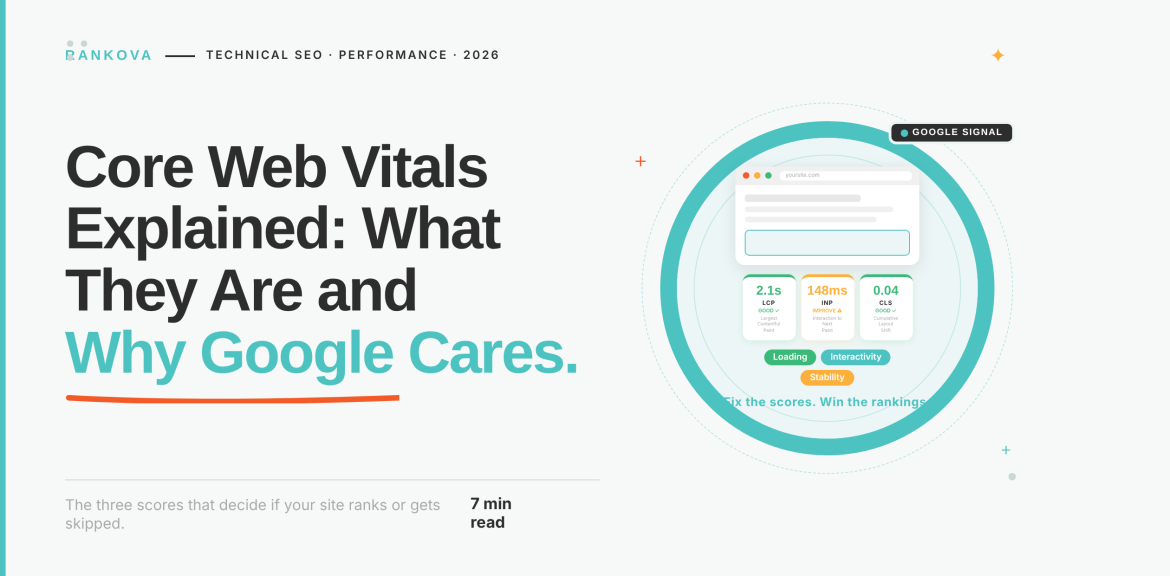
Core Web Vitals are three measurements Google uses to judge how a page feels to real visitors. Largest Contentful Paint (LCP) measures how fast the main content appears, with a target of 2.5 seconds or less. Interaction to Next Paint (INP) measures how fast the page responds to taps and clicks, with a target of 200 milliseconds or less. Cumulative Layout Shift (CLS) measures how much the layout jumps around, with a target of 0.1 or less.
Google measures them on visits, and a page passes when at least three out of four visits meet the target for all three. Google’s ranking systems use them, and Google recommends good scores. But Google also says they are one signal among many and do not guarantee a top position. They matter most because slow, laggy, or jumpy pages lose visitors.
What Are Core Web Vitals?
Core Web Vitals are the handful of “web vitals” that Google considers essential for every page on the web. Each one captures a different part of the page’s experience. That is, loading, responding, and staying stable. Here is what each one feels like to a visitor.
- Largest Contentful Paint (LCP): LCP is the “is it loading?” test. The visitor taps your link and stares at a blank or half-empty screen. The longer that lasts, the more likely they are to leave and tap a competitor instead.
- Interaction to Next Paint (INP): INP is the “did my tap work?” test. The visitor taps your menu or your “Chat on WhatsApp” button, and nothing seems to happen. So they either tap again or give up. Note that INP looks at interactions across the whole visit and not just the first one.
- Cumulative Layout Shift (CLS): CLS is the “why did it move?” test. The visitor goes to tap “Book now”, an image loads above it, or the button slides down, but instead they tap the wrong thing. CLS measures the score, not a time.
One update to note: Since March 2024, INP has replaced a metric called First Input Delay (FID). If an article still lists FID as a Core Web Vital, it is out of date.
The table below shows all you need to know about Core Web Vitals;
| Metric | What it measures | In plain English | Good | Needs improvement | Poor |
| LCP (Largest Contentful Paint) | Loading | How long until the biggest thing on screen, usually a hero image or main heading, appears | 2.5 seconds or less | 2.5 to 4 seconds | Over 4 seconds |
| INP (Interaction to Next Paint) | Responsiveness | How long the page takes to react after a tap, click, or keypress visibly | 200 milliseconds or less | 200 to 500 milliseconds | Over 500 milliseconds |
| CLS (Cumulative Layout Shift) | Visual stability | How much content jumps around unexpectedly while you read or tap | 0.1 or less | 0.1 to 0.25 | Over 0.25 |
How Google Measures Core Web Vitals
Google measures Core Web Vitals mainly on real visitors. The data comes from the Chrome User Experience Report, which collects anonymized measurements from Chrome users. That same data powers PageSpeed Insights and the Core Web Vitals report in Search Console.

Google also uses a specific cut-off called the 75th percentile. In plain terms, a page passes when at least three out of four visits meet the “good” target on each of the three metrics. However, note that it assesses mobile and desktop separately.
Note the following;
- Your own test can lie. A page can feel fast on your laptop and office Wi-Fi and still fail in the field. The reason is that Google is measuring your visitors and not you.
- Lighthouse cannot measure INP. A lab test has no real person tapping the page, so tools use a related measure called Total Blocking Time as a stand-in. Hence, you should treat that as a clue and not the answer.
- Small or new sites may show no field data. If PageSpeed Insights or Search Console reports nothing, the site does not have enough Chrome visits yet. So, you can use lab testing in the meantime.
Why Does Google Care About Core Web Vitals?
The honest answer has three parts, and the middle one is the part most articles get wrong.
- Google wants results that lead to pages people can use
Google’s documentation describes Core Web Vitals as measures of real-world experience for loading, interactivity, and visual stability. It says it highly recommends that site owners achieve good scores, and that they align with what its core ranking systems seek to reward. The logic is simple. If search results keep sending people to pages that load slowly, freeze, or jump around, the search will get worse for everyone.
- But Google is clear that it is one signal among many
Several statements in Google’s page experience documentation are worth knowing, because they correct claims:
- There is no single “page experience” signal. Google’s ranking systems look at a variety of signals that align with overall page experience.
- Core Web Vitals are used by its ranking systems, but good scores in Search Console do not guarantee a page will rank at the top.
- Google says trying to get a perfect score purely for SEO reasons may not be the best use of your time.
- Google says it always tries to show the most relevant content, even when the page experience is weak. But for the many searches where plenty of helpful content exists, a great page experience can contribute to success.
Put together, relevance and helpful content come first. Page experience matters most when several pages are similarly useful, and you are competing on the details. That is why articles claiming poor scores will sink great content, or that fixing them will lift you to number one, overstate what Google says.
So, Why Do Visitors Leave My Website?
Even if Core Web Vitals had no ranking effect at all, they would still matter to your business. A page that loads slowly, ignores taps, or shifts under a visitor’s thumb loses people before they read your offer, call, or send a message. That is a lead problem at any ranking position.
If your site gets visits but few enquiries, speed is one of the first things to check. Rankova covers the wider picture of why your website isn’t getting sales and how SEO fixes it. If you want published examples, Google’s web.dev site collects business-impact case studies on Core Web Vitals.
Why Core Web Vitals Work Differently for Nigerian Websites
Nothing about the three metrics changes in Nigeria. What changes is who is being measured.
Since Google scores your visitors at the 75th percentile, your numbers reflect the devices and connections your customers use. In our guide to ranking on Google in Nigeria, we covered why mid-range Android phones, variable mobile networks, and data costs shape how Nigerians search and browse. That context matters here for three reasons.
- A green result on your laptop proves little. If most of your visitors are on mid-range phones over mobile data, the field numbers will reflect that, and the mobile report is the one to watch.
- INP depends on the phone. Interaction speed depends on how much JavaScript the device must run. A page full of sliders, animations, and third-party widgets that feels fine on a fast laptop can feel sluggish on a mid-range phone.
- Weight costs your visitor. Heavy pages are slower and also use up the data your customer paid for, so lighter pages are easier to justify.
To test the way your customers browse, use Chrome DevTools with network throttling set to Slow 4G and CPU slowdown switched on. You can also use a mid-range Android phone. If the page feels slow to you there, it feels slow to them.
Quick Steps to Check Your Core Web Vitals for Free
Here are quick steps you can follow to check your Core Web Vitals for free;
- Open Search Console’s Core Web Vitals report and check mobile first. It uses real-visitor data, groups similar pages together, and shows how many URLs are good, need improvement, or are poor. If you have not verified your site in Search Console yet, do that first. It is free.
- Test your most important page in PageSpeed Insights. Read the user section at the top first, and the lab diagnostics below it. The diagnostics tell you what to fix, while the field section tells you how Google sees you.
- Test the way your customers browse. Use throttled Chrome DevTools or a mid-range phone, as described above. During this phase, watch how the page feels and note unpleasant experiences, as that’s what customers see.
- Write down a baseline. Record LCP, INP, and CLS for your homepage and your top three service or product pages on mobile. You will need this to prove that your fixes worked.
Common Causes Of Poor Scores and Their Solutions.
Here are the common causes of poor scores and their solutions;
| Metric | Common causes | Common solutions |
| LCP | – Oversized and uncompressed hero images. – Slow hosting or server response. – No caching. – Scripts and styles that block the page from showing | – Compress and resize images and use modern formats such as WebP. – Improve hosting or add caching and a content delivery network. – Delay non-essential scripts |
| INP | – Too much JavaScript. – Heavy third-party scripts such as chat widgets, several tracking tags, and social feeds. – Busy sliders and animations. | – Remove what you do not use. – – Delay loading non-essential third-party scripts. – Have a developer break up long-running tasks |
| CLS | – Images and videos without set dimensions. – Banners, ads, or cookie bars that load late and push content. – Fonts that swap and reflow text | – Set width and height on images and videos. – Reserve space for late-loading elements. – Limit and preload fonts |
Sites built with page builders and many plugins often carry extra scripts. So, audit what each page actually needs.
Here are four questions to ask your developer:
- Which element is the LCP on our homepage and our top three pages, and how large is it?
- Which third-party scripts load on every page, and can we delay or remove any?
- Do all images, videos, and embeds have set dimensions?
- What is our server response time, and are we using caching or a CDN?
How Do I Improve My Core Web Vitals?
Here are ways to improve your Core Web Vitals;
- Start with pages that earn enquiries. Examples are your homepage, main service pages, and contact page.
- Fix shared problems once. Search Console groups similar URLs, so fixing a shared header, slider, or font setup can improve many pages at once.
- Aim for “good” and not perfect. Once the three metrics are in the good range on mobile, you can focus on other things.
- Do not remove what produces enquiries. Keep the WhatsApp button and the contact form. Make them lighter instead of deleting them.
- Allow time before you judge. Field data builds up over about four weeks, so re-check roughly a month after changes. For realistic expectations on timing, read how long SEO actually takes for Nigerian businesses.
Do Core Web Vitals Affect AI Overviews and AI Search?
No, at least not in the direct way some articles claim. Here is what Google says in its guide to generative AI features, last updated in July 2026.
- Those features are rooted in Google’s core Search ranking and quality systems, so standard SEO practices still apply.
- To be eligible, a page must be indexed and eligible to appear in Search with a snippet.
- Unique and helpful content is described as likely to influence your presence more than any other suggestion in the guide.
- Providing a good page experience is listed among the technical best practices, alongside crawlable pages.
The guide does not say Core Web Vitals scores decide which pages get cited. So treat good scores as basic hygiene that protects the visitors who arrive. It is not a shortcut to being cited. Also, be sceptical of anyone selling a speed score as an “AI visibility” lever.
If AI visibility is your goal, start where it counts. First, make sure your pages are indexed (see how to fix a website that Google won’t index). Then work on the content and structure covered in how to get cited by Google AI Overviews.
How Rankova Approaches Core Web Vitals
At Rankova, we treat Core Web Vitals as a means to an end. An audit starts with technical health (including speed and mobile problems) because a site that Google cannot crawl or that visitors cannot use will waste every other effort. You can see that audit step in our Ridima case study.
We prioritize by business impact. So, we focus on the pages that bring in enquiries first. Then, we report on what moved, such as leads. We do not promise that a better score will move your rankings, because Google itself does not say that.
If you want to know what regular technical work looks like in practice, read what an SEO agency actually does day-to-day. To judge whether your current agency reports on results that matter, see how to tell if your SEO agency is actually working.
Not sure how your site scores on real mobile visits, or what to fix first? Talk to Rankova, and we will review your key pages with you.
Frequently Asked Questions About Core Web Vitals
Here are frequently asked questions about Core Web Vitals;
Question 1: What are the three Core Web Vitals?
They are Largest Contentful Paint (LCP) for loading, Interaction to Next Paint (INP) for responsiveness, and Cumulative Layout Shift (CLS) for visual stability. INP replaced First Input Delay in March 2024.
Question 2: What is a good Core Web Vitals score?
A good score is an LCP of 2.5 seconds or less, an INP of 200 milliseconds or less, and a CLS of 0.1 or less. A page passes when at least 75 percent of visits meet all three targets.
Question 3: Are Core Web Vitals a Google ranking factor?
Yes, Google’s ranking systems use them, and Google recommends good scores. But Google also says there is no single page experience signal, that good scores do not guarantee a top ranking, and that relevant content can still rank when page experience is weaker.
Question 4: Why is my PageSpeed Insights score different from Search Console?
They measure different things. Search Console and the top section of PageSpeed Insights use real-visitor data collected over time. The 0 to 100 score and the diagnostics in PageSpeed Insights come from a single simulated test.
Question 5: How do I check my Core Web Vitals for free?
Use the Core Web Vitals report in Google Search Console for site-wide real-visitor data. Also, you can use PageSpeed Insights for individual pages. Then, use Chrome DevTools with throttling to test how your pages behave on slower phones and networks.
Question 6: How long do Core Web Vitals improvements take to show?
Allow about four weeks. Real-visitor data builds up over time. So, Search Console and PageSpeed Insights reflect your changes gradually rather than immediately.
Question 7: Do Core Web Vitals matter for a small business website?
Yes, for your visitors, because slow or jumpy pages lose enquiries. The ranking effect is modest compared with relevance and content quality. Very low-traffic sites may show no field data at all. At this phase, you can do lab testing or consult an SEO expert like Rankova.
Question 8: Do Core Web Vitals affect AI Overviews?
Google’s guide to generative AI features lists good page experience among technical best practices but does not say Core Web Vitals scores decide which pages are cited. Indexing, crawlability, and genuinely helpful content matter far more.
Conclusion
Core Web Vitals are Google’s way of describing whether a page is pleasant and usable for a real person. It covers how quickly it loads, how quickly it responds, and how steady it stays. Google uses them, recommends good scores, and explains them clearly. It also says plainly that they are one signal among many.
So take the middle path. Do not ignore them, because slow and jumpy pages cost you enquiries. However, do not chase a perfect 100, because that is rarely the best use of your time. Check your mobile numbers in Search Console, fix the pages that earn you business first, and test the way your customers browse.
Keep Reading
- How to Rank on Google in Nigeria: What’s Different About the Nigerian Market?
- Why Your Website Isn’t Getting Sales (And How SEO Fixes It)
- How to Fix a Website That Google Won’t Index
- 7 SEO Mistakes That Are Killing Your Website Traffic in 2026
- How to Get Cited by Google AI Overviews
- Case Study: How We Ranked a Business on Page 1 in 60 Days
Sources
- Google Search Central, Understanding Core Web Vitals and Google search results: the three metrics, targets and Google’s recommendation.
- Google Search Central, Understanding page experience in Google Search results: the FAQ on how Core Web Vitals are used in ranking.
- web.dev, Web Vitals: the 75th percentile, field versus lab data, the INP change, and measurement tools.
- Google Search Central, Optimizing your website for generative AI features on Google Search: eligibility, content and technical guidance for AI features.
- PageSpeed Insights: Google’s free page testing tool.