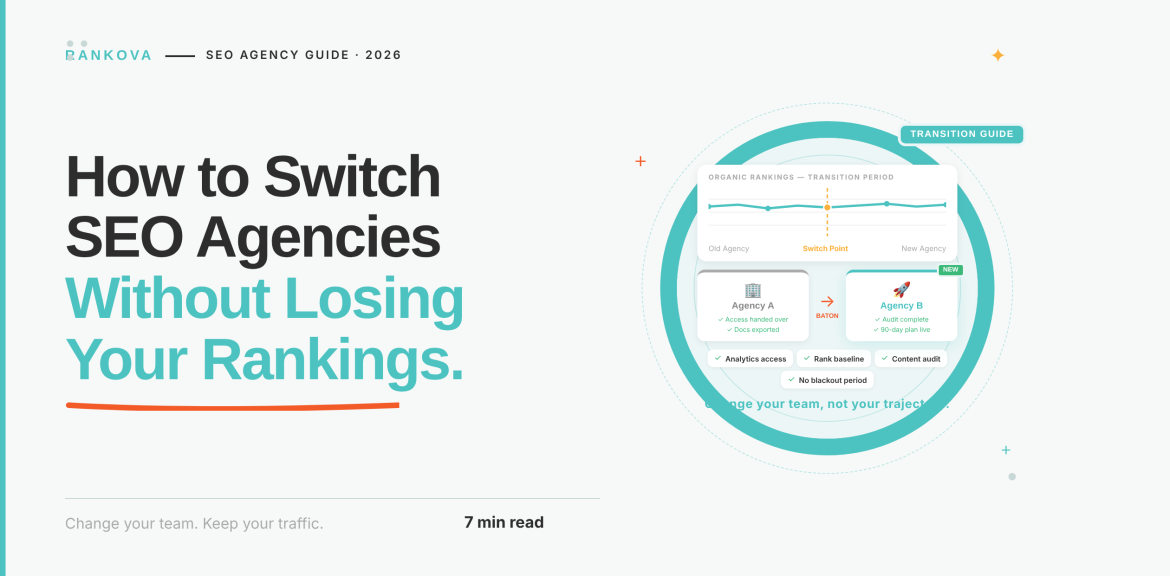
What’s the worst that can happen if you fire your SEO agency? Most owners picture a ranking crash. However, the more common outcome is more annoying. Businesses often ask for their Google Search Console login and discover the agency owns the property, the Analytics account, and sometimes the domain itself. Hence, you need to learn how to switch SEO agencies without losing your rankings.
The good news is that you can fix it before anyone gets a notice letter. Yes, rankings live in your domain, your content, and your links. They don’t live in the agency. As such, a switch goes wrong when the handover is sloppy, and it goes right when you follow the right order. In this guide, you will learn the right order, from the first audit through the first 60 days with the new team.
Quick answer
To switch SEO agencies without losing rankings, secure ownership of your domain, website, Google Search Console, Google Analytics, and Google Business Profile before you give notice. Then export your data, read your contract, request a handover package, overlap the old and new teams for about a month, freeze major site changes for the first 60 days, audit the work left behind (especially backlinks and redirects), and remove the old agency’s access last.
Do Rankings Drop When You Switch Agencies?
The answer can be yes or no. The reason is not the switch itself. Search engines can’t tell which agency is working on your site. What they can see are the pages that disappear, URLs that move without redirects, links that vanish, tracking that breaks, and content that gets rewritten all at once. Those are the causes of the drops, and every one of them is avoidable.
There are four ways a handover typically damages rankings:
- Lost access: When the outgoing agency owns the Search Console property, the analytics account, or the tag container, revoking their access can lock you out as well.
- Vanishing links: If the agency built links on networks it controls, those links can disappear when the contract ends. One transition guide warns that rankings propped up by rented links can collapse once the relationship ends.
- Broken structure: Redirects, canonical tags, or sitemaps changed or removed during the handover.
- Panic changes. A new agency rewriting titles, URLs, and templates in week one, so nobody can tell what caused what.
Some short-term fluctuation is normal even in a well-run transition, because search engines reprocess any change. The goal is to keep that movement small and explainable.
Step 1: Decide Whether Switching Is the Right Move
Switching has a cost, so before you do anything else, make sure the problem is the agency and not the timeline or the brief. The way to tell is to separate the warning signs that point to a problem from the ones that may only reflect impatience or unclear expectations.
Some signs are serious on their own. If you can’t get access to your own accounts, that is a red flag with no innocent explanation. Your Search Console, Analytics, and domain belong to your business and not to the agency. The same goes for promises of guaranteed rankings or instant results. No one controls Google’s results, so anyone who guarantees them is either overpromising or planning shortcuts that put your site at risk.
Other signs are less clear-cut and depend on timing. Reports that show plenty of activity but never connect it to results are a genuine concern. The question to ask is whether the agency can explain what it’s doing and why it expects results to follow, not whether the numbers have moved yet.
Step 2: Audit What You Own
Do this before you tell anyone you’re leaving. Ownership and access are different things. So, one can remove an agency added as a user, while an agency that owns a property can take it with them. The goal of this step is to confirm that, for every asset below, your business holds the top-level role.
Start with your domain registrar. You want your name and email to be the registrant and account holder, and you should be able to log in to the registrar yourself. A quick lookup of your domain’s registration, followed by a login test, will tell you. You need the administrator login to your CMS. You can check by confirming that you’re able to add and remove users.
Then move to the Google properties, which are the ones most often set up under an agency’s login. In Google Search Console, you should be a verified owner. So open Settings, then Users and permissions, and confirm your account shows as a verified owner. In Google Analytics 4, you should hold the Administrator role on the property, which you can check under Admin and then Property access management. In Google Tag Manager, make sure you have publish rights on the container by checking the container’s user permissions. For Google Business Profile, you or your team should be the primary owner, which you can confirm in the profile’s list of managers.
Finally, check your DNS and any CDN. You should be able to log in to wherever your DNS is managed. If the agency created any of these accounts under its own master login and gave you view or manager access only, request a proper ownership transfer now, and keep the tone friendly. You may need their cooperation later.
Step 3: Export Your Data and Set a Baseline
Do this while you still have full access. It protects your history and gives the new team a clear starting line.
- Search Console performance data. Export clicks, impressions, average position, and CTR by query and page. Search Console only keeps about 16 months of data.
- Export every tracked keyword and its current position from whatever tool the agency used.
- Download the full list of backlinks pointing to your site.
- A site crawl. Save a crawl of the live site, including titles, headings, status codes, canonicals, and indexability.
- Save copies of the sitemap and robots.txt as they are today.
- List every page of the content inventory, its URL, its target keyword, and its last update date.
- Save a snapshot of Search Console’s Page indexing report so you can spot indexing changes later.
- Gather past reports, audits, keyword research, content plans, and strategy documents.
- Run a manual audit on AI visibility. Ask ChatGPT, Gemini, and Perplexity 15 to 20 customer-style questions about your category and record whether you’re mentioned, how, and which sources are cited. Agencies often don’t track this at all, so it’s easy to lose without realizing.
Step 4: Read Your Contract
Before you give notice, check the document you signed. Look for:
- Notice period and minimum term.
- Who owns the articles, graphics, and pages the agency created. Make sure it’s you.
- Link ownership and disclosure. Whether the agency must tell you where links were built.
- Tools and subscriptions. Any software the agency pays for and uses on your behalf, such as rank trackers or schema plugins, and what happens to your data in them when you leave.
- Handover obligations. Any clause about transferring accounts, documents, and files when the engagement ends.
If the contract is silent on handover, you can still ask for it. Most reputable agencies will cooperate when asked politely and in writing.
Step 5: Give Notice and Request a Handover Package
Give notice in writing, respecting the contract’s terms, and ask for a handover package at the same time. Ask for:
- Confirmation of account ownership and any outstanding transfers
- A list of all work done, with dates
- Keyword research and target-page mapping
- Content calendar, drafts, and unpublished pieces
- A full list of acquired backlinks, including where and how each was built
- Any disavow files submitted
- Redirect maps and a record of technical changes
- Schema markup and structured data in use
- Passwords and logins for any tools holding your data, or exports from them
Keep it professional. A cooperative exit gets you a better handover, and the people on the other side will often help if the relationship ends respectfully.
Step 6: Overlap the Old and New Teams
An overlap period keeps work moving and lets the new team ask questions while the old team still knows the answers. A common recommendation is about 30 days, adjusted for the size and complexity of the site. You can follow the table below;
| Week | Outgoing agency | Incoming agency |
| 1 | Notice acknowledged while ongoing work continues. | Gets read-only access and starts reviewing exports. |
| 2 | Delivers handover documents and answers questions. | Runs its independent audit of the site. |
| 3 | Finishes in-progress tasks and highlights outstanding work. | Builds the plan and flags quick fixes. |
| 4 | Final report and sign-off | Takes over publishing and ongoing work |
| Afterward | Remove access | Full responsibility |
Give the new agency read-only access first, and escalate to edit access as the handover completes. If your budget doesn’t allow two retainers, even a two-week overlap with a handover call is far better than a clean break.
Step 7: Freeze Big Changes for 60 Days
The first two months are for diagnosis and stability. For roughly 60 days, avoid:
- Redesigning the site or changing the theme.
- Changing URL structures or migrating platforms.
- Mass-rewriting titles, headings, or existing high-performing pages.
- Deleting large numbers of pages.
- Changing your domain or switching hosts.
You can still fix broken links, noindex tags applied by mistake, missing redirects, tracking errors, and security issues. The test is simple. If something is clearly broken, fix it. If it’s a preference or an experiment, wait. Changing many things at once makes it impossible to know what helped and what hurt, and that makes any dip look like the new agency’s fault when it might not be.
Step 8: Audit the Work They Left Behind
Your new agency should do this independently, and you should ask to see the results. The areas that most often hide problems:
- Backlinks – Which links are genuine editorial mentions and which were placed on networks the old agency controlled? The second kind can vanish, or can carry risk.
- Redirects and canonicals – Are old URLs redirecting correctly, and do canonical tags point where they should?
- Indexing – Compare today’s Page indexing report with your Step 3 snapshot. Check for accidental noindex tags and robots.txt blocks.
- Schema and structured data – Confirm it’s valid, current, and covers the right page types.
- Tracking – Confirm conversions and events are firing in Analytics and Tag Manager, and that nothing was broken by the handover.
- Content quality – Look for thin, duplicated, or low-value pages produced to hit a monthly quota.
- AI crawler access – Make sure robots.txt isn’t accidentally blocking the crawlers that power AI search, and that your business details are consistent across your site and profiles.
Step 9: Remove the Old Agency’s Access Last
Once the handover is signed off and you’ve confirmed your own ownership of every account, remove the old agency’s access. Do it in this order:
- Confirm you hold owner-level access to everything first.
- Confirm the new agency has the access it needs.
- Remove the outgoing agency’s user accounts from Search Console, Analytics, Tag Manager, your CMS, hosting, and Google Business Profile.
- Change shared passwords and remove any API keys, plugins, or third-party tools connected to their accounts.
- Confirm in writing that the engagement has ended and that all access has been transferred.
Removing access first and checking ownership second locks owners out of their own properties.
Step 10: Measure Recovery
Compare the same metrics you exported in Step 3, over comparable time windows. Expect a few weeks of small fluctuations while search engines reprocess any changes. A transition that’s going well looks like stable rankings, no loss of indexed pages, intact tracking, and a clear plan from the new team for the next quarter.
Don’t judge the new agency on the first four weeks. The first month is mostly an audit and cleanup, and meaningful gains usually take months. What you should see early is a written assessment of the site’s real condition, and a prioritized plan.
Mistakes That Cause the Drops People Blame on Switching
Here are mistakes that can happen when switching SEO agencies;
- Giving notice before securing ownership. This is the single most damaging order of operations.
- Letting the old agency own the accounts and revoking access without a transfer.
- Switching during your peak season. If you can, time the move for a quieter period.
- Skipping the overlap. The knowledge of why things were done is valuable and disappears quickly.
- Letting the new agency change everything in week one.
- Ignoring the backlink audit. Links built on controlled networks can disappear when the contract ends.
- Not setting a baseline, so nobody can tell later whether performance improved or declined.
- Ignoring AI visibility. If nobody recorded how you appeared in ChatGPT, Gemini, and Perplexity before the switch, you can’t prove what changed.
Frequently Asked Questions About How to Switch SEO Agencies Without Losing Your Rankings.
Here are some of the frequently asked questions about how to switch SEO agencies;
Question 1: Will switching SEO agencies hurt my rankings?
Not by itself. Rankings depend on your site, content, and links, not on which agency manages them. Drops come from lost access, vanishing links, broken redirects, or large changes made all at once. A planned handover avoids all four.
Question 2: Should I tell my current agency before I switch?
Yes, but only after you’ve secured ownership of your domain, website, Search Console, Analytics, and Business Profile. Then give written notice that follows your contract, and ask for a handover package in the same message.
Question 3: How long should the overlap between agencies be?
About 30 days is a common recommendation, adjusted for the size of the site. Even a two-week overlap with a documented handover call is far better than an abrupt switch.
Question 4: What if my agency won’t give me access to my accounts?
Escalate in writing, naming each account and the level of access you need, and cite your contract. For accounts registered under your business, such as your domain, consider legal advice if the agency still refuses.
Question 5: Can the old agency’s backlinks disappear after I leave?
Yes, if they were placed on sites or networks the agency controls. Ask for a full list of links and how each was built, and have the new agency review it early.
Conclusion
Switching SEO agencies is less risky than most owners fear, as long as you do it in the right order. Own your accounts, export your data, read your contract, overlap the handover, freeze big changes, audit what’s left behind, and remove old access last. Most of the danger sits in owning your accounts. If you hold the keys, you hold your rankings.
If you’re thinking about a change and want an independent read on your site’s current state, including the AI visibility most audits skip, that’s where we start at Rankova. Get in touch, and we’ll tell you what you own, what’s working, and what a clean handover would involve.
Read more
How to get cited by Google AI Overviews
What Is Answer Engine Optimization? A Complete Guide for Business Owners
How to get cited by Perplexity (step-by-step)
How to make AI systems recognise and trust your brand
GEO vs SEO vs AEO: what’s the difference?